 Pool Moncloa





On 1 April 2025, the Council of Ministers regulated the process of issuing, managing and developing the National Identity Document (DNI) in its physical and, for the first time, digital versions. The identity card is the only public and official document in Spain that certifies the identity and personal details of its holder.
How is the digital ID card being implemented?
The digital ID will be implemented in two phases. Since 2 April 2025, it has been possible to use it on mobile phones thanks to the MiDNI application. Users can identify themselves in person with this document, which has the same validity as the DNI in physical format, but as yet they will not be able to prove their identity over the Internet.
Within 12 months of this date, public and private sector entities must adopt the necessary measures for the proper functioning of the digital version of the National Identity Card. After this transitional period of one year, the application will allow citizens to prove their identity to carry out telematic formalities, electronic signatures and other operations over the Internet.
What is the digital ID card for?
The digital ID card is used in the same way as the physical one, and does not replace it. The holder will be able to prove their identity to carry out face-to-face procedures, whether legal or administrative, before any public administration or private entity, such as exercising their right to vote, dealing with banks, proving their age of majority, checking into a hotel, renting a car, picking up packages and accessing entertainment venues.
What are the advantages of activating the digital ID?
The digital ID facilitates the holder's relationship with the public administration and the private sector. The citizen does not always need to carry the physical ID card and can show only certain data on the digital document.
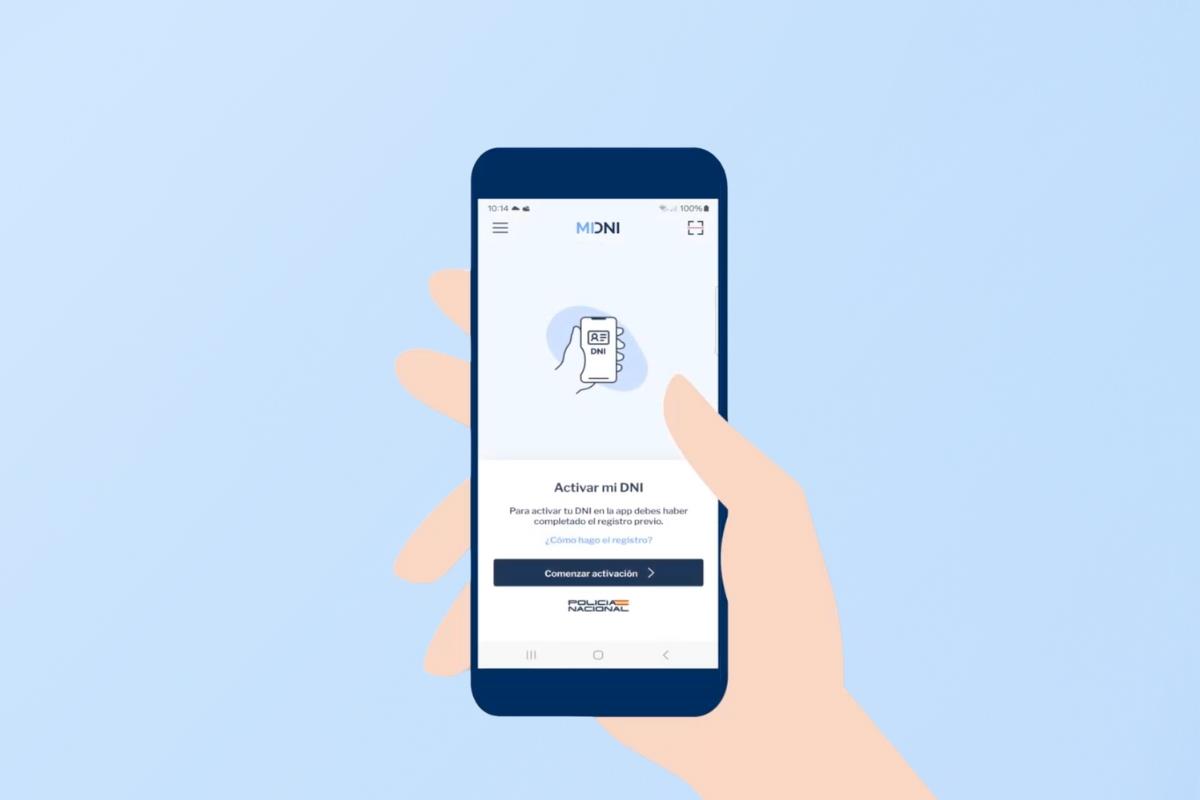
The MIDNI App will incorporate the DNI in the holder's mobile phone, and it generates a QR code that can be read by a capture device. You will only be asked for the data that needs to be verified, thereby promoting privacy.
How to obtain a digital ID card
You must have a valid ID card and a mobile phone and complete two stages: register and download the App.
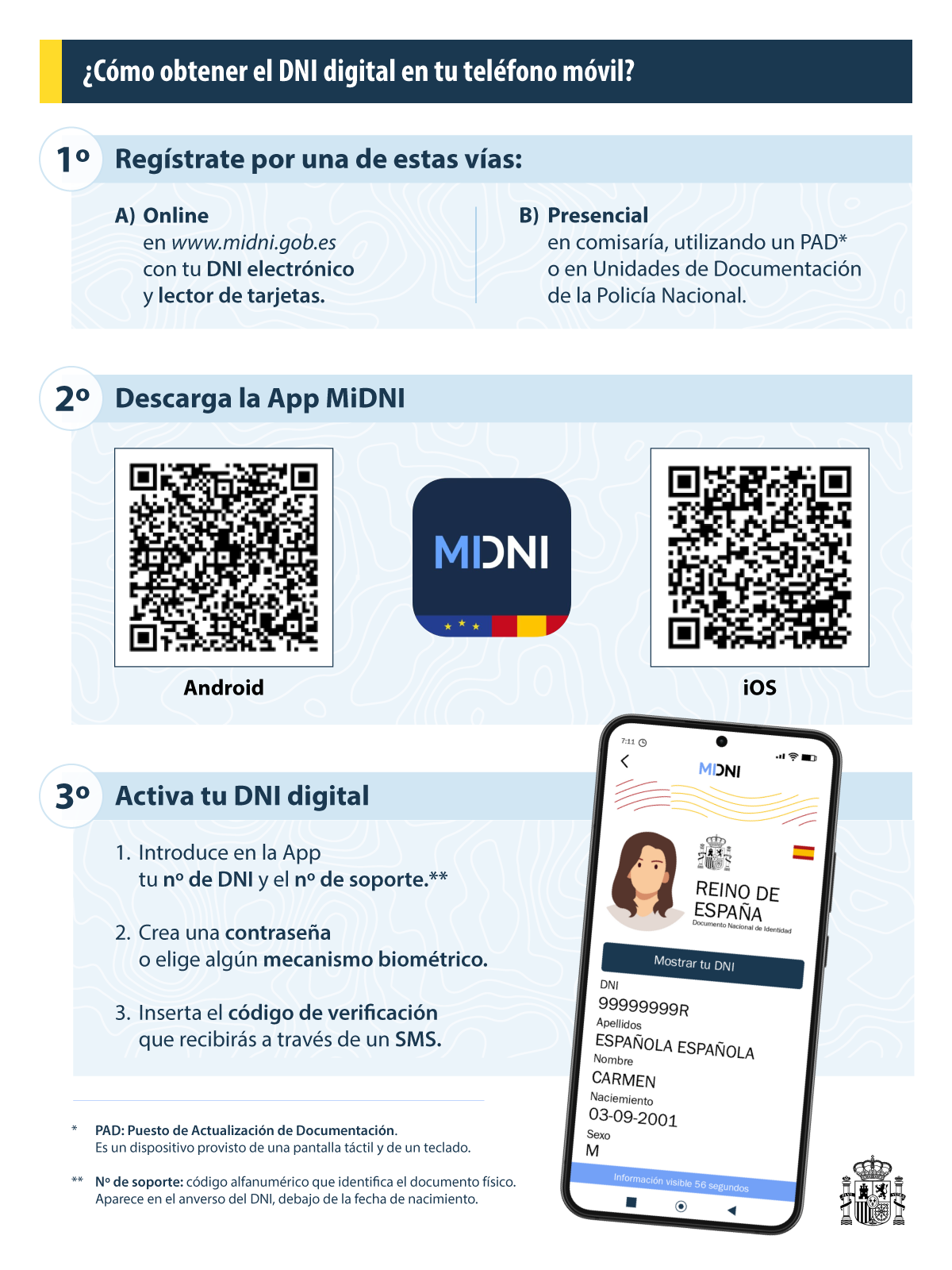
Pre-registration: To use the application, the mobile phone must be associated with the DNI on the official platform of the National Police Force. This register links the citizen's identity to a unique mobile phone number. The device must allow the download of the MiDNI application. To register, the DNI must be valid and its electronic certificates must be active. This activation can be done:
- By Internet, if the user has an electronic ID card, on the website www.midni.gob.es, using a card reader and the valid passwords. When you enter your ID card and prove your identity, you receive a code by SMS so that you can register your personal telephone number and associate it with your identity.
- At any police station using a Documentation Update Desk (PAD). The citizen must enter their details and mobile phone number, and a registration SMS will be sent to them.
- At the Documentation Units of the National Police when renewing the DNI. A dispatcher will help you obtain the registration code to associate with your personal telephone number.
Download the APP: The App is available on Google Play or in the App Store. When you open the App you must enter the activation data: the ID number with letter and the support number. The latter is found in the physical DNI and is composed of three letters and six digits. You then have to set a password with at least eight characters, of which at least three must be uppercase, lowercase, numbers and special characters. You can also select to unlock the App using biometric mechanisms such as facial image or fingerprint. You will receive an SMS with a verification code. The App is then activated and you can click on the 'Go to my DNI' button.
How to use the digital ID and what data it shows
Once downloaded, the user can access the application and unlock it using a password or biometrics (facial image or fingerprint). When making the query, the ID card holder can decide which data they want to display depending on the intended use and the purpose of the identity verification. For security reasons, the data will only remain on screen for a limited time.
If you want to show your details, you must click on the button 'Show your ID' and a new screen will appear with three options:
- DNI AGE: This option will activate a QR code that proves that the bearer is over 18 years old and includes their photo.
- DNI SIMPLE: It generates a more detailed QR code with full name, photo, date of birth, gender and validity of the document.
- FULL ID: It warns us before generating the corresponding QR code that we are going to share all the DNI data.
In all three cases, the QR code will appear for a few seconds on the screen and will only be valid for that period of time. The code has been generated by the National Police and guarantees that the data is authentic. The information can be read, but not copied.
Features of the MiDNI application
It is an official application of the National Police and has the legal backing to carry out all procedures. It is the only application that allows you to carry your ID card on your mobile phone, and when you use it, it connects to the police servers to verify the citizen's ID card data. The data are returned signed and have a very limited validity, which provides real-time information and prevents falsification and manipulation.
Regarding the application platforms, there are several with similar names, but citizens cannot identify himself themselves with them because they are not valid and only show a photocopy of the ID card.
Does the application store data with the user's identity?
No. The data will never be stored on the verifier's device. The DNI management unit generates data in real time through the MiDNI application. Should the document be lost, misplaced or stolen, the information will not be available.
Can I activate other people's DNI in my application?
No. Each application is associated with just one mobile phone number, so the National Police knows who owns that number and can enable access only on that phone.
What must the user do if they change their mobile number?
You must associate the DNI again to the new mobile number, following the same steps as the first time you made the registration.
What are the electronic certificates of my DNI and why do they need to be updated?
These are components stored in the chip of the physical DNI, and they contain the signature and authentication certificates. When the DNI is connected to a reader or a computer, they are used to access, for example, public administration websites. These certificates expire and must be renewed from time to time for security reasons.
When does the digital ID card expire?
On the same date as the physical DNI. When the holder renews the physical DNI, they must re-activate the digital one in their mobile phone.
Non official translation